

In the fast-paced world of digital advertising, consistency isn't just a nice-to-have—it's the secret weapon of high-performing brands. While your competitors scramble to create last-minute posts, run sporadic campaigns, and chase trends without strategy, a well-structured content calendar keeps your advertising efforts organized, strategic, and effective.
A content calendar is more than just a schedule of when to post. It's a strategic tool that aligns your advertising with business goals, ensures message consistency across channels, prevents creative burnout, and maximizes the ROI of every piece of content you create. This comprehensive guide will walk you through everything you need to know about creating and maintaining a content calendar that drives continuous advertising success—complete withYouTube examples and tutorialsto help you implement these strategies.
Why a Content Calendar Is Essential for Advertising Success
Before diving into the "how," let's understand the "why." The brands that consistently win at advertising don't rely on inspiration striking at the last minute. They build systems that ensure quality, consistency, and strategic alignment.
The Data Behind Consistency
| Brand consistency | 33% more revenuefor consistently presented brands | Lucidpress |
| Posting frequency | Brands that post daily see5x more engagementthan those posting weekly | HubSpot |
| Campaign performance | Planned campaigns outperform ad-hoc efforts by3xin ROI | CoSchedule |
| Content efficiency | Companies with documented content strategy see400% higher success rates | Content Marketing Institute |
| Audience growth | Consistent posting schedules grow audiences2.5x fasterthan irregular posting | Social Media Examiner |
Key Benefits of a Content Calendar
1. Strategic Alignment:A calendar forces you to connect every piece of content to specific business objectives—brand awareness, lead generation, product launches, or customer retention.
2. Consistency Across Channels:When your advertising spans social media, email, YouTube, and display ads, a calendar ensures your message remains unified and your brand voice consistent.
3. Efficient Resource Management:Knowing what content needs to be created and when allows you to allocate team resources, budget, and creative energy effectively.
4. Improved Quality:Last-minute content is rarely great content. A calendar gives you time for ideation, iteration, and polish.
5. Performance Tracking:When you plan content in advance, you can more accurately track what worked, what didn't, and why.
6. Stress Reduction:Creative teams thrive on clarity. A calendar removes the anxiety of "what are we posting tomorrow?" and replaces it with focused execution.
Watch the Example: How Buffer Plans Content
Buffer, the social media management platform, is famous for its transparent approach to content planning. Their team shares exactly how they use content calendars to stay organized across multiple channels.
-
Watch here:
 Watch YouTube video

The Anatomy of an Effective Content Calendar
A content calendar can be as simple as a spreadsheet or as sophisticated as a dedicated project management tool. But regardless of format, effective calendars share common elements.
Essential Components
| Publish Date | Exact date and time of publication | Ensures timely delivery and coordination |
| Channel/Platform | Where the content will appear (Instagram, LinkedIn, Email, etc.) | Different channels require different formats |
| Content Type | Blog post, video, infographic, carousel, etc. | Helps balance content mix |
| Topic/Title | Clear description of what the content is about | Keeps everyone aligned on messaging |
| Target Audience | Which segment this content speaks to | Ensures relevance and personalization |
| Goal/Objective | Awareness, engagement, conversion, retention | Connects content to business outcomes |
| CTA (Call to Action) | What you want the audience to do | Drives measurable results |
| Status | Idea, in progress, review, ready, published | Tracks workflow progress |
| Owner | Who is responsible for creation and approval | Ensures accountability |
| Assets Needed | Images, videos, copy, design files | Prevents last-minute scrambling |
| Budget | Production costs, ad spend allocation | Keeps spending on track |
| Performance Metrics | KPIs to measure success | Enables post-campaign analysis |
Calendar Timeframes
An effective content strategy operates on multiple time horizons:
Annual Calendar:High-level view of major campaigns, product launches, industry events, and seasonal opportunities. This provides the strategic framework.
Quarterly Calendar:More detailed planning of thematic content clusters, campaign phases, and resource allocation.
Monthly Calendar:Granular view of specific content pieces, posting schedules, and tactical execution.
Weekly Calendar:Day-by-day breakdown of what goes live, who's responsible, and real-time adjustments.
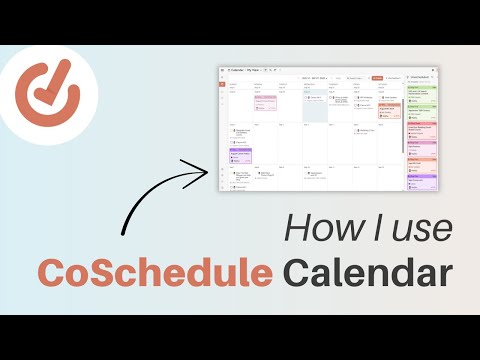
Watch the Example: CoSchedule's Calendar Tutorial
CoSchedule built their entire business around content calendars. Their tutorials show exactly how to structure a calendar for maximum effectiveness.
-
Watch here:
Watch YouTube video
Step 1: Define Your Advertising Goals and Audience
Every piece of content in your calendar should serve a purpose. Before you start filling in dates, you need clarity on what you're trying to achieve and who you're trying to reach.
Align Content with the Marketing Funnel
Different stages of the customer journey require different types of content:
| Awareness (Top of Funnel) | Introduce brand, attract new audiences | Blog posts, social media, short videos, infographics, podcasts |
| Consideration (Middle of Funnel) | Build trust, demonstrate value | Case studies, webinars, whitepapers, comparison guides, email nurtures |
| Conversion (Bottom of Funnel) | Drive action, close sales | Product demos, testimonials, free trials, consultations, retargeting ads |
| Loyalty (Post-Purchase) | Retain customers, encourage advocacy | Exclusive content, loyalty programs, user-generated content, referral campaigns |
Create Audience Personas
For each major audience segment, develop a detailed persona that includes:
-
Demographics (age, location, income, job title)
-
Psychographics (values, interests, pain points, aspirations)
-
Content preferences (platforms, formats, tone)
-
Buying stage (aware, considering, ready to buy)
Map Content to the Customer Journey
Once you understand your funnel stages and personas, map specific content topics to each combination. A B2B software company might have:
-
Awareness content for IT managers:"Top 5 Security Threats in 2026"
-
Consideration content for IT managers:"How Our Solution Compares to Competitors"
-
Conversion content for IT managers:"Schedule a Personalized Demo"
Watch the Example: HubSpot's Funnel Strategy
HubSpot's content machine is legendary. Their videos explain exactly how they align content with funnel stages.
-
Watch here:
Watch YouTube video

Step 2: Brainstorm and Organize Content Ideas
With goals and audiences defined, it's time to generate the raw material that will fill your calendar.
Idea Generation Techniques
1. Audience Questions and Pain Points:What does your audience ask customer support? What questions appear in comments and forums? Answering real questions creates instant relevance.
2. Keyword Research:Use tools like Ahrefs, SEMrush, or Google Keyword Planner to identify what your audience is searching for. Create content that addresses those searches.
3. Competitor Analysis:What topics are your competitors covering? Where are the gaps? What can you do better or differently?
4. Industry Trends and News:Stay current with industry developments and create timely content that positions your brand as a thought leader.
5. Repurpose Existing Content:One piece of research can become a blog post, a video, an infographic, several social posts, and an email newsletter. Maximize your ROI.
6. Customer Success Stories:Every happy customer is a potential case study. Document their journey and results.
7. Seasonal and Cultural Moments:Plan content around holidays, industry events, and cultural moments relevant to your audience.
Content Buckets
Organize your ideas into content buckets—categories that ensure variety and balance in your calendar. Common buckets include:
-
Educational:How-tos, tutorials, explainers
-
Inspirational:Success stories, behind-the-scenes, mission-driven content
-
Entertaining:Humor, relatable moments, trends
-
Promotional:Product features, launches, offers
-
Community:User-generated content, shoutouts, engagement posts
-
Thought Leadership:Industry insights, predictions, opinions
The 80/20 Rule
A common guideline: 80% of your content should provide value without asking for anything in return; 20% can be directly promotional. This builds trust and ensures your audience doesn't feel constantly sold to.
Watch the Example: Later's Content Idea Generation
Later, the Instagram scheduling platform, shares exactly how they generate a constant stream of content ideas.
-
Watch here:
Watch YouTube video
Step 3: Choose Your Calendar Tool
The right tool depends on your team size, complexity, and budget. Here are the most popular options, with tutorials to help you get started.
Spreadsheets (Google Sheets, Excel)
Best for:Solopreneurs, small teams, beginners
Pros:Free, flexible, familiar
Cons:Limited collaboration features, no automation, can become unwieldy
Watch the Tutorial:
-
Google Sheets Content Calendar Template:
Watch YouTube video

Dedicated Content Calendar Tools
1. CoSchedule
CoSchedule is purpose-built for content marketing, combining calendar functionality with project management and social media scheduling.
Key Features:
-
Drag-and-drop calendar interface
-
Social media scheduling across platforms
-
Workflow automation and approvals
-
Performance analytics
-
Team collaboration tools
Pricing:Starts at $19/month per user
Watch the Tutorial:
-
CoSchedule Full Walkthrough
2. Trello
Trello's visual board system adapts well to content planning, especially for teams using agile methodologies.
Key Features:
-
Card-based organization
-
Customizable workflows
-
Power-Ups for additional functionality
-
Easy collaboration
-
Free tier available
Pricing:Free; paid plans start at $5/user/month
Watch the Tutorial:
-
Trello Content Calendar Setup
3. Asana
Asana is a powerful project management tool that works well for content teams with complex workflows.
Key Features:
-
Multiple view options (list, board, timeline, calendar)
-
Task dependencies and subtasks
-
Custom fields and templates
-
Robust reporting
-
Extensive integrations
Pricing:Free; paid plans start at $10.99/user/month
Watch the Tutorial:
-
Asana for Content Teams
4.monday.com
monday.comoffers highly visual project management with excellent marketing-specific templates.
Key Features:
-
Color-coded calendar views
-
Automation recipes
-
Time tracking
-
File sharing and proofing
-
Marketing-specific templates
Pricing:Starts at $9/user/month
Watch the Tutorial:
-
monday.comContent Calendar
5. Notion
Notion has become incredibly popular for content planning due to its flexibility and all-in-one approach.
Key Features:
-
Databases with multiple views
-
Wiki-style documentation
-
Embedded content
-
Templates and synced blocks
-
Generous free tier
Pricing:Free; paid plans start at $8/user/month
Watch the Tutorial:
-
Notion Content Calendar Template
6. Airtable
Airtable combines spreadsheet functionality with database power, ideal for content teams managing large volumes.
Key Features:
-
Relational databases
-
Multiple view types (grid, calendar, gallery, kanban)
-
Rich field types (attachments, links, formulas)
-
Automation and integrations
-
Templates for content calendars
Pricing:Free; paid plans start at $10/user/month
Watch the Tutorial:
-
Airtable Content Calendar
Step 4: Build Your Content Calendar Framework
Now it's time to actually build your calendar. Here's a step-by-step process.
Step 4.1: Start with the Big Picture
Begin by blocking out the non-negotiables:
-
Product launches:Content leading up to, during, and after
-
Seasonal campaigns:Holiday, back-to-school, summer, etc.
-
Industry events:Conferences, trade shows, award deadlines
-
Recurring content:Weekly newsletters, monthly webinars, annual reports
-
Business priorities:Quarterly themes or initiatives
Step 4.2: Establish Posting Cadence
Determine how frequently you'll post on each channel. Be realistic about your resources. Better to post three times per week consistently than seven times per week for a month before burning out.
| Blog | 1-4x per week | Quality over quantity |
| 3-7x per week | Stories can be daily | |
| 1-2x per day | Less frequent for organic | |
| 1-5x per week | Professional focus | |
| Twitter/X | 3-10x per day | Fast-moving platform |
| YouTube | 1-4x per month | Production time intensive |
| 1-4x per week | Don't overwhelm subscribers | |
| TikTok | 1-4x per day | Trend-dependent |
Step 4.3: Fill with Content Buckets
Use your content buckets to ensure variety. A weekly Instagram schedule might look like:
-
Monday:Educational tip
-
Tuesday:Behind-the-scenes
-
Wednesday:User-generated content
-
Thursday:Product feature
-
Friday:Fun/entertaining
-
Saturday:Community highlight
-
Sunday:Inspirational quote
Step 4.4: Add Specific Topics
Now populate the calendar with actual topics from your idea bank. Be as specific as possible—vague entries lead to last-minute scrambling.
Step 4.5: Assign Resources
For each piece of content, identify:
-
Who creates it (writer, designer, videographer)
-
Who reviews it (editor, legal, compliance)
-
Who approves it (manager, client)
-
What assets are needed (images, quotes, data)
Step 4.6: Build in Buffer Time
Always add buffer days for unexpected delays. Content creation rarely goes exactly as planned.
Watch the Example: Later's Calendar Building Tutorial
Later provides an excellent step-by-step guide to building a content calendar from scratch.
-
Watch here
Step 5: Integrate Advertising Campaigns
Your content calendar shouldn't just track organic content—it should be the central hub for all advertising efforts.
Align Organic and Paid Content
The most effective strategies use organic content to test ideas, then amplify what works with paid advertising. Your calendar should reflect this relationship.
Organic First, Paid Second:
Publish organic content
Measure performance (engagement, clicks, conversions)
Identify top performers
Allocate ad budget to amplify winners
Schedule paid promotions in your calendar
Campaign Planning
For major advertising campaigns, your calendar should include:
| Planning | Goal setting, audience definition, budget allocation | 4-8 weeks pre-launch |
| Creation | Asset production, copywriting, landing page development | 3-4 weeks pre-launch |
| Testing | A/B testing creative, audience targeting, bids | 1-2 weeks pre-launch |
| Launch | Campaign goes live, monitoring begins | Launch date |
| Optimization | Adjust based on performance data | Throughout campaign |
| Analysis | Review results, document learnings | Post-campaign |
Seasonal and Event-Based Advertising
Block out key dates well in advance:
-
Industry events:Conferences, trade shows, award seasons
-
Holidays:Major retail holidays, cultural observances
-
Industry-specific moments:Your audience's busy seasons, planning cycles
-
Brand milestones:Anniversaries, new product launches
Watch the Example: Facebook Ads Campaign Planning
Learn how to integrate paid campaigns into your content calendar.
-
Watch here
Step 6: Establish Workflow and Approval Processes
A calendar is only useful if content actually gets created, approved, and published on time. Clear workflows prevent bottlenecks.
Content Creation Workflow
text
Idea → Brief → Draft → Review → Revisions → Approval → Scheduling → Publication → Promotion → AnalysisEach stage should have:
-
Clear owner
-
Deadline
-
Definition of done
-
Approval criteria
Approval Levels
Different content types may require different approval levels:
-
Social posts:Content creator + manager
-
Blog posts:Writer + editor + SEO specialist
-
Email campaigns:Copywriter + designer + compliance + marketing manager
-
Video ads:Scriptwriter + videographer + legal + executive (for major campaigns)
Tools for Workflow Management
-
Asana/Trello/monday.com:Track tasks through stages
-
Google Docs:Collaborative writing and commenting
-
Canva:Design approvals with comments
-
Frame.io:Video review and approval
-
Slack/Teams:Quick questions and updates
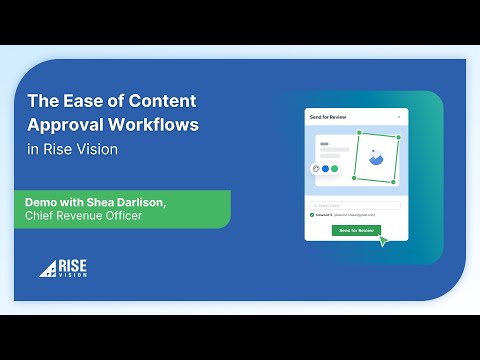
Watch the Example: Content Approval Workflows
Learn how to set up efficient approval processes.
-
Watch here:
Watch YouTube video
Step 7: Review, Analyze, and Iterate
Your content calendar should be a living document that improves over time based on performance data.
What to Track
| Reach/Impressions | How many people saw your content |
| Engagement (likes, comments, shares) | How well content resonated |
| Click-through Rate (CTR) | How compelling your CTA was |
| Conversion Rate | How effective content was at driving action |
| Cost per Result (for ads) | Efficiency of paid spend |
| ROI | Ultimate business impact |
Regular Review Cadence
-
Weekly:Review performance of recent posts, adjust upcoming content if needed
-
Monthly:Analyze trends, identify top performers, refine strategy
-
Quarterly:Deep dive into what's working, what's not, and strategic adjustments
-
Annually:Comprehensive review, update personas, refresh content buckets
Using Data to Improve
-
Double down on content types and topics that perform well
-
Cut or rework what underperforms
-
Test new formats and platforms
-
Update and repurpose evergreen winners
-
Document learnings for future planning
Watch the Example: Content Performance Analysis
Learn how to measure and improve content performance.
-
Watch here:
Watch YouTube video

Real-World Content Calendar Examples
Example 1: Small Business (Local Coffee Shop)
Goals:Increase foot traffic, build community, promote seasonal offerings
| Monday | Photo | New seasonal drink | Awareness | |
| Tuesday | Event | Open mic night | Engagement | |
| Wednesday | Video | Behind-the-scenes roasting | Education | |
| Thursday | Newsletter | Weekend specials + event recap | Conversion | |
| Friday | Story | Customer spotlight | Community | |
| Saturday | Event | Live music reminder | Conversion | |
| Sunday | Reel | Relaxed coffee vibes | Brand building |
Example 2: B2B SaaS Company
Goals:Generate leads, establish thought leadership, nurture prospects
| Week 1 | Industry trend report | Blog post, infographic, LinkedIn posts, email | Organic + LinkedIn ads |
| Week 2 | Customer success story | Case study, video testimonial, webinar | Email nurture, website |
| Week 3 | Product feature deep dive | Product demo, comparison guide, blog series | Retargeting ads, email |
| Week 4 | Thought leadership | Podcast appearance, guest post, LinkedIn article | Organic + promotion |
Example 3: E-commerce Brand
Goals:Drive sales, build loyalty, encourage UGC
| Monday | Product photo | New arrival | Awareness | |
| Tuesday | TikTok | Try-on haul | Styling tips | Engagement |
| Wednesday | Exclusive preview | Loyalty members | Conversion | |
| Thursday | UGC repost | Customer photos | Community | |
| Friday | All | Flash sale | Weekend offer | Conversion |
| Saturday | Story poll | New color vote | Engagement | |
| Sunday | Lookbook | Inspiration | Brand building |
Common Content Calendar Mistakes to Avoid
| No strategic alignment | Content doesn't drive business results | Connect every piece to a goal |
| Too rigid | Can't adapt to trends or news | Build in flexibility |
| Too vague | "Blog post" isn't a plan | Be specific about topics |
| No ownership | Things fall through cracks | Assign clear responsibility |
| Ignoring data | Repeating mistakes | Review and adjust regularly |
| Burnout schedule | Quality drops, team quits | Be realistic about capacity |
| Siloed planning | Inconsistent messaging | Involve all stakeholders |
| No buffer time | Delays cascade | Add padding to deadlines |
| Forgetting promotion | Great content, no audience | Plan distribution, not just creation |
| Set and forget | Calendar becomes obsolete | Keep it living and updated |
Content Calendar Templates and Resources
Free Templates
-
Google Sheets Content Calendar:Template Link
-
Notion Content Calendar:Template Gallery
-
Trello Content Calendar:Template Gallery
-
Airtable Content Calendar:Template Gallery
Recommended Tools Summary
| Google Sheets | Beginners, solopreneurs | Yes | Watch |
| CoSchedule | Marketing teams | 14-day trial | Watch |
| Trello | Visual teams, agile | Yes | Watch |
| Asana | Complex workflows | Yes | Watch |
| monday.com | Visual project management | Yes | Watch |
| Notion | All-in-one workspace | Yes | Watch |
| Airtable | Database lovers | Yes | Watch |
The Future of Content Calendars
As we move through 2026, content calendars are evolving in several key ways:
AI-Powered Planning
AI tools now help with:
-
Generating content ideas based on audience data
-
Predicting optimal posting times
-
Drafting content that matches brand voice
-
Analyzing performance and suggesting improvements
-
Automating routine scheduling tasks
Real-Time Adaptation
Modern calendars are becoming more dynamic, with the ability to:
-
Pause scheduled content in response to breaking news
-
Automatically reschedule based on performance data
-
Suggest content adjustments based on real-time trends
Cross-Functional Integration
Content calendars increasingly integrate with:
-
Sales CRM (trigger content based on prospect behavior)
-
Customer support (create content around common questions)
-
Product development (align content with feature releases)
Personalization at Scale
Advanced calendars now account for:
-
Audience segments (different content for different personas)
-
Lifecycle stages (content mapped to customer journey)
-
Channel preferences (where each segment engages)
Watch the Example: AI Content Planning Tools
See how AI is transforming content planning.
-
Watch here:
Watch YouTube video

Summary Checklist: Building Your Content Calendar
Planning Phase
-
Define advertising goals and KPIs
-
Create audience personas
-
Map content to funnel stages
-
Generate content ideas using multiple sources
-
Organize ideas into content buckets
-
Choose your calendar tool
-
Establish posting cadence per channel
Building Phase
-
Block out major campaigns and events
-
Fill calendar with content buckets
-
Add specific topics to each slot
-
Assign owners and deadlines
-
Identify required assets
-
Build in buffer time
-
Integrate paid campaign schedules
Execution Phase
-
Establish clear workflows
-
Set up approval processes
-
Create content according to schedule
-
Review and approve before publishing
-
Schedule and publish
-
Promote across channels
Analysis Phase
-
Track performance metrics
-
Review weekly, monthly, quarterly
-
Identify top performers
-
Double down on what works
-
Adjust strategy based on data
-
Document learnings
Maintenance Phase
-
Keep calendar updated in real-time
-
Regularly refresh content ideas
-
Adapt to trends and news
-
Continuously optimize based on data
-
Evolve strategy quarterly
Conclusion: Consistency Creates Success
In advertising, consistency isn't just about showing up—it's about showing up with purpose, quality, and strategic intent. A well-maintained content calendar transforms advertising from a series of disconnected efforts into a cohesive, powerful machine that builds brand awareness, drives engagement, and generates measurable business results.
The brands that win at advertising don't rely on luck or last-minute inspiration. They build systems. They plan ahead. They align every piece of content with business goals. They measure, learn, and iterate.
Your content calendar is the engine that makes all of this possible. It's the difference between chaotic, inconsistent advertising and a strategic, scalable approach that delivers continuous success.
Start small if you need to—a simple spreadsheet is infinitely better than no plan at all. But start. Because in the world of advertising, the most dangerous words aren't "we failed"—they're "we didn't plan."
Discover effective strategies for conducting market research to enhance your campaigns. Learn how to gather insights that drive successful marketing decisions.
Discover how visuals enhance advertising effectiveness, capturing attention and driving engagement. Explore the science behind impactful visual strategies.
Discover the art of crafting a compelling brand story that connects with your audience. Learn essential tips to elevate your brand's narrative and impact.
Discover the top tools for digital marketing automation that streamline your campaigns, enhance efficiency, and drive better results for your business.

Discover effective strategies to develop a consistent brand voice across all campaigns, enhancing your brand identity and engaging your audience effectively.

Discover how customer testimonials can elevate your advertising strategy, build trust, and drive conversions. Learn the secrets to advertising success today.
Discover essential tips for crafting memorable and shareable ads that captivate your audience and boost engagement. Elevate your advertising game today!

athlete featured in the Reebok CrossFit commercial and learn about their inspiring journey and achievements in the world of fitness.

Discover the truth behind the Under Armour training commercial. Explore whether it's based on a true story and what inspired its powerful message.

Learn what makes the Nike 2026 commercial a hot topic in the US. Analyze its innovative approach and the reactions it’s generating across social media.
Discover the song featured in the New Balance Made in USA ad. Uncover the artist and track details that enhance this iconic commercial experience.