

Retargeting is one of the most powerful tools in digital marketing for turning lost visitors into loyal customers. In fact,97% of first-time visitors leave a website without converting. That means nearly every potential customer who lands on your page might slip away before taking action. Retargeting gives you a second chance to bring them back.
This guide will walk you through everything you need to know about retargeting campaigns—from understanding what they are to implementing advanced strategies that drive real results.
What Is Retargeting?
Retargeting (also known as remarketing) is a digital advertising strategy designed to re-engage people who have already interacted with your brand—visited your site, clicked your content, or shown interest—but didn't complete the desired action (purchase, signup, download, etc.).
Unlike standard advertising that targets cold audiences, retargeting works with an already engaged audience—individuals who are further along in the buying journey and simply need a gentle nudge to complete their transaction.
📺Video: Retargeting Explained for Beginners
▶️
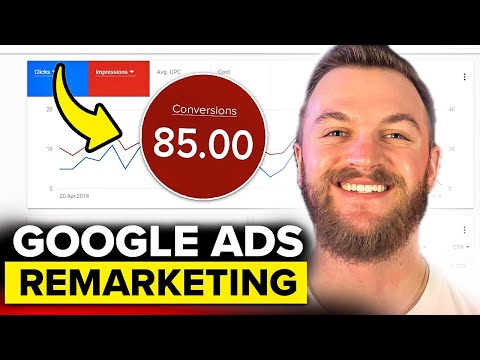
Why Retargeting Matters: The Numbers Speak for Themselves
The effectiveness of retargeting is backed by compelling data:
| Conversion likelihood | Visitors exposed to retargeting are70% more likely to convert |
| Conversion rate lift | Retargeting can increase average conversion rates by147% |
| Branded search lift | Consistent retargeting drives a500% increasein branded search results |
| Site traffic growth | With better ad exposure, website traffic can increase up to700% |
| ROI achievement | Brands like Gamivo achieved8.07x ROASwith tailored retargeting |
📺Video: Why Retargeting Is Your Most Profitable Ad Strategy
▶️

Types of Retargeting Audiences You Can Build
Before launching a campaign, you need to understand the different audience segments you can target. In Google Ads, these are grouped under "Your data segments":
1. Website Visitors
The standard retargeting audience—people who have visited your website. You collect this data using Google Tag Manager or Google Analytics.
Segmentation ideas:
-
All visitors
-
Product page viewers (by specific category or product)
-
Blog readers
-
High-engagement users (time-on-site > 60 seconds)
2. Customer Match
This is the "holy grail" of retargeting. You take your business's first-party data (email addresses, phone numbers) and upload it directly to ad platforms so they can find those same users across their properties.
Best for:Cross-selling, upselling, and re-engaging existing customers.
3. App Users
If you have a mobile app, you can pull data from Firebase or other analytics tools for retargeting.
4. Content Engagers
People who have interacted with your content on owned properties:
-
YouTube video viewers
-
Users who clicked through from search results
-
Social media engagers
5. Abandoned Cart
Users who added products to their cart but left without completing the purchase—typically your highest-intent audience.
6. Past Purchasers
Existing customers who can be upsold, cross-sold, or encouraged to repurchase.
📺Video: How to Build Retargeting Audiences in Google Ads
▶️
Step-by-Step: How to Set Up a Retargeting Campaign
Step 1: Define Your Goal
Understanding your campaign goal is critical. Performance campaigns typically optimize for either:
-
Highest Return on Ad Spend (ROAS)
-
Lowest Cost per Acquisition (CPA)
Determine which success event(s) lead to your overall goal and create custom goals accordingly.
Step 2: Install Your Tracking Pixel
The foundation of any retargeting campaign is proper tracking implementation:
-
Install site pixels at least 30 days prior to campaign launch
-
Use Multi-Sync tags to maximize exchange match rates and reach
-
Implement granular event tracking (page views, add-to-cart, initiated checkout, purchase)
Step 3: Segment Your Audience by Journey Stage
Segment users based on their behavior and journey stage:
| Homepage visitors | Low intent, just browsing | Introductory offer, brand story |
| Product viewers | Medium intent, considering | Show the exact products they viewed |
| Cart abandoners | High intent, almost converted | Urgency, discount, free shipping |
| Checkout starters | Highest intent, dropped at final step | "Complete your purchase," last chance |
| Past purchasers | Existing customers | Cross-sell, loyalty rewards |
Step 4: Create Suppression Audiences
This is a critical but often overlooked step. Suppression audiences prevent you from:
-
Showing ads to users who have already converted (when multiple conversions are unlikely)
-
Targeting existing customers if they're ineligible for re-conversion
-
Wasting budget on internal employees who visit your site
Step 5: Set Up Your Campaign Structure
Best practice:Create separate packages for upper-funnel prospecting and lower-funnel retargeting.
For prospecting:
-
Broad targeting to reach net-new consumers
-
Use lookalike modeling, behavioral targeting, and contextual targeting
-
Include "run of network" placements without audience targeting to let AI find valuable users
For retargeting:
-
Target users who have already visited your site or for whom you have CRM data
-
Ideally include one audience segment per placement to easily control bids and budget
-
Avoid overlapping audiences to prevent self-competition and rising costs
Step 6: Configure Bids and Budgets
Budget allocation:
-
Budget$30 per 1,000 users per monthfor audience-targeted placements
-
For new campaigns running longer than 25 days, use custom flighting: allocate 75% of daily budget for the first 10 days during the learning phase, then the remainder for the rest of the flight
Bid strategy:
-
Prospecting placements:Lower maximum bid (e.g., $5)
-
Retargeting placements:Higher maximum bid (e.g., $12) because these users are closer to conversion
-
Use Segment Recency targeting with bid modifiers to bid higher on users most recently added to segments
Step 7: Set Frequency Caps
Avoid ad fatigue by setting appropriate frequency caps:
| Prospecting | 1 impression per day |
| Retargeting | 6-10 impressions per day, with secondary cap of 1 per hour |
Note: The optimal frequency varies by industry and audience; monitor engagement metrics and test different thresholds.
Step 8: Choose Your Ad Formats and Sizes
Maximize reach by including as many ad sizes as possible:
-
Primary sizes: 300x250, 728x90, 160x600, 300x600, 320x50, 300x50
-
Include video creatives for higher engagement
Update creatives frequentlyto prevent creative fatigue.
📺Video: How to Set Up Your First Retargeting Campaign
▶️
Advanced Retargeting Strategies
1. Dynamic Retargeting
Dynamic retargeting shows users the exact products they previously viewed or added to their cart. This personalized approach keeps the specific item top-of-mind and encourages return visits.
Best for:E-commerce and any business with product catalogues.
2. Sequential Messaging
Instead of showing the same ad repeatedly, use sequential messaging to guide users through the purchase funnel:
| First follow-up (1-2 hours) | "We noticed you were interested..." |
| Second (next day) | Product benefits, social proof |
| Third (day 3) | Urgency: limited stock, expiring offer |
Example:"Last chance" messaging for cart abandoners vs. "hot new deals" for homepage visitors.
3. Cross-Channel Retargeting
Maintain visibility as users move across platforms. Serve tailored ads across:
-
Google Display Network
-
YouTube
-
Gmail
-
Social media platforms (Meta, TikTok, LinkedIn)
-
Connected TV (CTV)
-
Digital audio (Spotify, podcasts)
4. Lookalike Audiences from Retargeting Data
Use your high-performing retargeting segments to create lookalike audiences for prospecting. Upload CRM/seed data (hashed emails, device IDs) and let the platform find new users who resemble your best customers.
5. Behavioral + Contextual Layering
Combine retargeting with:
-
Behavioral targeting:Interest signals based on what users do, not who they are
-
Contextual targeting:Match ads to page content users are currently reading for privacy-safe relevance
📺Video: Advanced Retargeting Strategies That Work
▶️
Common Retargeting Mistakes to Avoid
1. Over-Segmenting Your Audience
Creating dozens of hyper-specific lists ("people who visited the cart on a Tuesday") often backfires. Google's AI needsdata density to learn. When you slice your audience into tiny slivers, you don't have enough "matched records" for the system to optimize.
Fix:Keep segmentation simple. Group by funnel stage rather than granular behaviors.
2. No Suppression Audience
Showing ads to people who already converted wastes budget and annoys customers.
Fix:Always exclude converted users from retargeting campaigns.
3. Ignoring Recency
Users are most likely to convert soon after their initial interaction. Delaying retargeting reduces effectiveness.
Fix:Use Segment Recency targeting and time your follow-ups strategically.
4. Ad Fatigue from Overexposure
Bombarding users with the same ad creates annoyance and ad blindness.
Fix:Set frequency caps and rotate creatives regularly.
5. Generic Messaging
Showing the same generic ad to all retargeting audiences misses the opportunity to address specific hesitations.
Fix:Tailor messaging to where users dropped off (e.g., cart abandoners need urgency, homepage visitors need education).
6. Not Using First-Party Data
Failing to upload CRM data means leaving money on the table.
Fix:Upload customer lists even if you're not actively retargeting—the data still signals to Smart Bidding which users are likely converters.
How AI Is Transforming Retargeting in 2026
First-Party Data Powers AI Performance
In 2026, your first-party data now powers AI performance. Even if you don't have a single retargeting campaign running, the mere existence of your data segments in your ad account provides vital signals for Smart Bidding and Optimized Targeting.
Key insight:When you upload a customer list, you're telling the platform, "These are the people who actually buy from me." Even without active retargeting, the algorithm uses this to understand likely converters and adjust bidding accordingly.
Smart Bidding Integration
When using Target ROAS or Target CPA bidding, a user's presence (or absence) on your data segment lists becomes one of many signals incorporated into the bidding calculation.
AI-Powered Creative Optimization
Modern platforms use AI to:
-
Predict which creative variations will perform best for each user
-
Automatically optimize ad delivery to maximize conversions
-
Test and scale winning creatives without manual intervention
📺Video: AI-Powered Retargeting in 2026
▶️
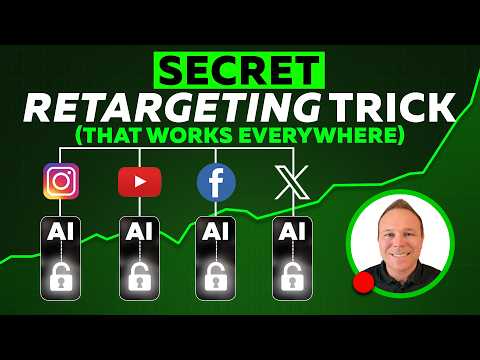
Retargeting by Campaign Type
Different campaign types handle audience data differently:
| Search, Shopping, Display | Targeting (only show to segment), Observation (measure without narrowing), Exclusion |
| Performance Max | Include segments as audience signal; can also exclude segments |
| Demand Gen | Target and exclude segments (no observation mode) |
For beginners:Demand Gen is often the best place to start—it's built for visual storytelling and works well with basic website visitor lists.
For experienced advertisers:Try New Customer Acquisition or Customer Retention modes in Performance Max or Shopping, powered by your data segments.
Industry-Specific Retargeting Applications
E-commerce
-
Cart abandonment:Remind users of items left behind
-
Browse abandonment:Show products they viewed
-
Post-purchase:Cross-sell complementary products
iGaming
-
Re-engage users who checked odds but didn't deposit
-
Show limited-time welcome bonuses
Finance
-
Follow up with users who started but didn't complete forms
-
Messages like "Pre-approved" or "Higher limit available"
Subscriptions
-
Remind users what they're missing (content, discounts, exclusive access)
-
Especially effective in GEOs where mobile traffic is expensive
Measuring Success: Key Metrics
| Conversion rate | % of retargeted users who complete desired action |
| ROAS/ROI | Return on ad spend for retargeting campaigns |
| Click-through rate (CTR) | Engagement with your retargeting ads |
| Cost per acquisition (CPA) | Cost to convert a retargeted user |
| View-through conversions | Users who convert after seeing but not clicking |
| Frequency | Average ad exposures per user |
Quick-Start Checklist
-
Install tracking pixelsat least 30 days before campaign launch
-
Create granular audience segmentsbased on user behavior and funnel stage
-
Set up suppression audiencesto exclude converters and existing customers
-
Define campaign goals(ROAS or CPA targets)
-
Set frequency capsto prevent ad fatigue
-
Upload first-party data(email lists, customer lists) to power AI optimization
-
Create dynamic creativesthat show relevant products
-
Launch cross-channel campaigns(Google, Meta, YouTube, CTV)
-
Monitor performance dailyand adjust bids/budgets
-
Test and refresh creativesregularly
Conclusion
Retargeting is one of the most cost-effective ways to turn lost visitors into paying customers. By re-engaging users who have already shown interest, you're building on existing familiarity rather than starting from scratch with cold audiences.
The key to success lies in:
-
Proper audience segmentationbased on user journey stage
-
Personalized messagingthat addresses specific hesitations
-
Strategic frequency capsthat keep your brand top-of-mind without annoying users
-
Leveraging first-party datato power AI-driven optimization
Remember that97% of first-time visitors leave without converting. With a well-executed retargeting strategy, you can bring a significant portion of them back—and turn missed opportunities into loyal customers.
Discover the full cast of the X Town Square ad, featuring diverse talents and engaging performances that bring the campaign to life. Explore now!
Discover the catchy song featured in the HP Work from Anywhere commercial. Uncover the artist and lyrics that make this ad memorable and engaging.
Discover effective strategies for conducting market research to enhance your campaigns. Learn how to gather insights that drive successful marketing decisions.

Discover the fundamentals of programmatic advertising. Learn how automated buying and selling of ads can enhance your marketing strategy effectively.

Discover effective strategies for leveraging user-generated content in your marketing campaigns to boost engagement and build brand loyalty.

Discover effective strategies for cross-promoting your products and services to boost visibility and drive sales. Maximize your marketing efforts today!

Discover the star-studded lineup of the Booking.com 2026 commercial. Find out who makes an appearance and what to expect from this exciting campaign.

Discover the captivating background song featured in Expedia's "Made to Travel" commercial. Uncover the artist and track that enhances your travel inspiration.

Discover the artist behind the captivating Alaska Airlines 2026 campaign ad. Uncover the voice that brings the ad to life and its significance.

Discover the meaning behind JetBlue's "You Above All" commercial. Explore its themes of customer care and connection that set JetBlue apart in the airline industry.

Discover the actor behind the iconic Southwest Airlines Wanna Get Away ad. Uncover the talent that brings humor and charm to this memorable campaign.