





Video preview
Watch YouTube video
Release Date: 2024-08-07
Follow @x

Mini Commercial How To Track Your #MINI via GPS with the Security App Spot


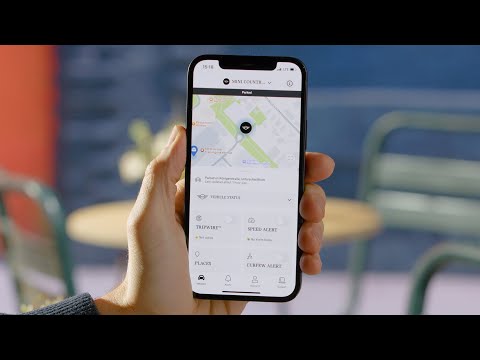
VIDEO MINI How To Track Your #MINI via GPS with the Security App TV commercial 2024 • How To Track Your #MINI via GPS with the Security App. The MINI Security Active and Pro GPS tracking accessory together with the MINI Security App is an easy and certified way to monitor your car remotely, enhance your insurance conditions and get support in case of a vehicle theft. Learn all about it in this How-To video. 🔵 Key Moments: 0:00 - MINI GPS tracking introduced 0:11 - Delivery content and setup 0:30 - Tracking app overview 1:32 - Cases of emergency 🔵 Feature Availability: Please note that each service, feature and its functions depends on availability. Depending on the vehicle model and its technical capacities as well as market regulations, the availability and details of a feature may differ. 🔵 Dive Deeper: More detailed information on your vehicle’s equipment and functions is available in the MINI Driver's Guide App or in your Owner's Handbook. 🔵 Engage with Us: Leave a comment below if you want to see any specific video in the future. #MINIHowTo #minicountryman MINI Countryman C: Mandatory information according to German law ’Pkw-EnVKV’ based on WLTP: energy consumption combined: 6,2 l/100 km; CO₂ emissions combined: 141 g/km; CO2-class: E. MINI GPS tracking introduced 0:00 Track your MINI. Keep it safe! 0:03 The certified MINI Security active and Pro GPS tracking accessory 0:07 lets you monitor your car remotely – and enhances your insurance conditions. Delivery content and setup 0:11 Your MINI service partner can install it in your model. 0:14 Two Driver Tags work as a physical authenticator. 0:17 Scan the QR code on your Customer Card 0:20 and follow the steps to download the MINI Security App and connect it with your car. 0:24 If your Driver Tags aren't around when the car is started, 0:27 you'll get a notification on your mobile. Tracking app overview 0:30 See it all: 0:31 The MINI Security App 0:33 offers many tracking and monitoring functions. 0:35 Open the Vehicle Status for an overview. 0:38 Like: are doors and windows closed? 0:41 Use "Tripwire" to set a radius of 300m 0:44 around the car's current position as a geofence. 0:47 If it leaves this area, you will be notified immediately. 0:52 Get a "Speed alert" when your car drives faster than a defined speed limit. 1:00 In "Places" you can activate notifications, about when the car enters or exits a set location. 1:11 Set a "Curfew alert" for time spans when the car shouldn't be moved at all. 1:19 "Trips" provides a recording of your past tours 1:22 with the starting and ending point. Cases of emergency 1:32 In case of a vehicle loss or theft, 1:35 please call the local police immediately to file a charge and ask for the file number. 1:42 Then call the Service Operation Center, 1:44 so they can cooperate with the authorities to manage vehicle tracking and recovery. 1:50 Continue watching our How-To series to get the most out of your MINI.


Some articules for you
xboxplay.games
Copyright © 2024. All rights reserved.
abancommercials.com's Terms and Privacy Policy
Orlando, Florida, EEUU
facebook | pinterest